
Digital planning is a fantastic way to stay organized and on top of your schedule, even without the latest iPad! It’s perfect if you prefer having your diary on a device but still love the feel of handwriting your appointments, taking notes, and adding creative touches to your planner.
What Do I Need For Digital Planning On Android in 2024?
Android Tablet: There’s a wide range of Android tablets perfect for digital planning. Some popular options include:
- Samsung Galaxy Tab S8 Series: These tablets offer stunning displays and often come with the S Pen included, making them ideal for digital planning.
- Lenovo Tab P11 Pro: This tablet boasts a beautiful 2K display and supports the Lenovo Precision Pen 2, providing a smooth and natural writing experience.
- Other Options: Consider exploring tablets from brands like Huawei, Xiaomi, and Amazon Fire. If you plan on using one, ensure it has good stylus support.
Note-taking App: You’ll need a suitable note-taking app to use as your digital planner. Excellent options include:
- Noteshelf: This popular app offers a user-friendly interface, various pen and highlighter options, and great support for digital planners.
- GoodNotes 5: While it’s a paid app, GoodNotes 5 is highly regarded for its extensive features, including powerful organization tools, beautiful templates, and seamless cloud syncing.
- Xodo: This free PDF annotation app is another solid choice, especially if you prefer a simple and straightforward approach.
How to Load Your Digital Planner
Once you have your device and app ready, loading your digital planner is a breeze!
- Open Your Note-taking App: Launch your chosen app (e.g., Noteshelf, GoodNotes 5, or Xodo).
- Import Your Planner: Most apps will have an “Import” or “Open” option. Navigate to where you’ve stored your digital planner file (usually a PDF) and select it.
- Start Planning! Once your planner is loaded, open it up and add your notes, appointments, and doodles, just like you would on paper!
Additional Tips for Digital Planning on Android
- Explore Hyperlinks: Many digital planners come with hyperlinks that allow you to quickly jump between different sections or months. Take advantage of these for easy navigation.
- Customize Your Planner: Most note-taking apps offer various tools for customizing your planner. Experiment with different pen colors, highlighters, stickers, and even add your own digital washi tape!
- Backup Your Planner: Regularly back up your digital planner to cloud storage services like Google Drive or Dropbox to ensure the safety of your valuable information.
Digital planning on Android is a fantastic way to stay organized and unleash your creativity. With the right tablet, app, and a bit of practice, you’ll be enjoying the benefits of a paperless planner in no time!
Remember: Prices and specific models mentioned may vary depending on your location and the current market. Always do your research to find the best options for your needs and budget.
Let me know if you’d like any further updates or have more questions!
RELATED READING: How I Generate a Passive Income with Printables and Planners
Top-up Your Earnings! Create a Passive Income with Digital Planners
If you’re as addicted to all planners as I am, why not benefit financially from your passion and create an income stream by creating and selling your own digital planners?
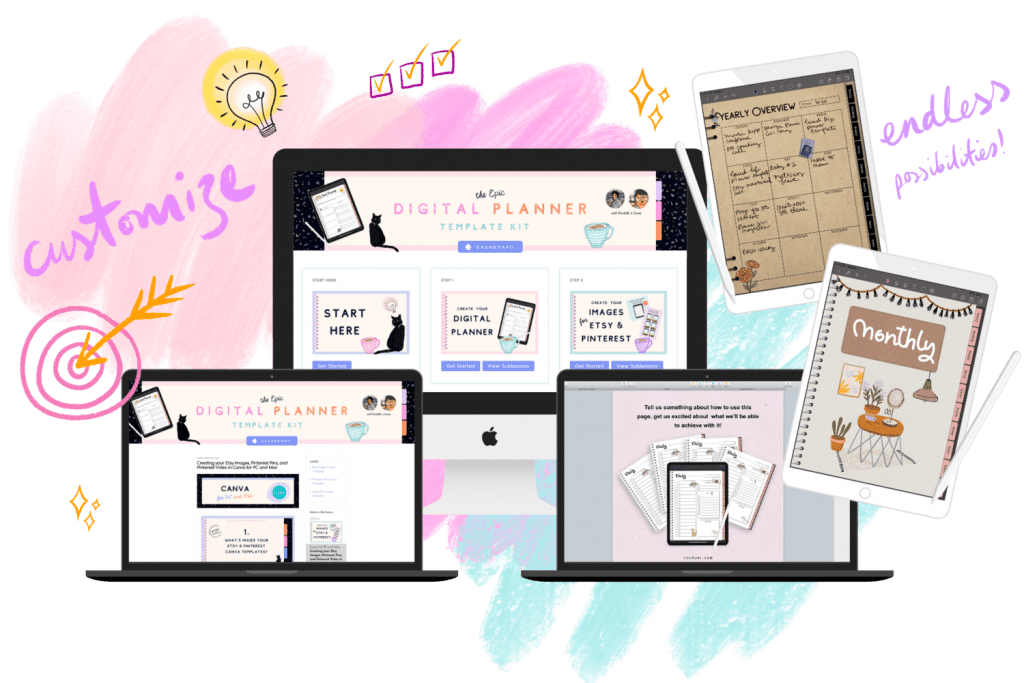
I started earning a side income after buying Michelle Rohr’s Digital Planner Template Kit. The kit provides everything you need to start your digital planner business, including planner templates in various file formats, templates for creating Etsy listing images, and Pinterest Pins, as well as all the tutorials you’ll need to create your first Digital Planner.
If you’re more of a pen & paper kind of person Michelle also offers printable planner templates alongside all the support you need to get your printables business started.
This post was proofread by Grammarly. The World's Best Grammar Checker.
