
Disclaimer: This article contains affiliate links. For more details, please read my privacy policy & disclosure.
Do you ever feel like you’re busy all day, yet the most important tasks never get done? Your to-do list grows longer, distractions pull you in different directions, and by the end of the week, you’re left wondering where all the time went.
That’s where time blocking comes in.
This simple but powerful planning method helps you take control of your day, reclaim focus, and finally make space for the work that matters most.
What is Time blocking?
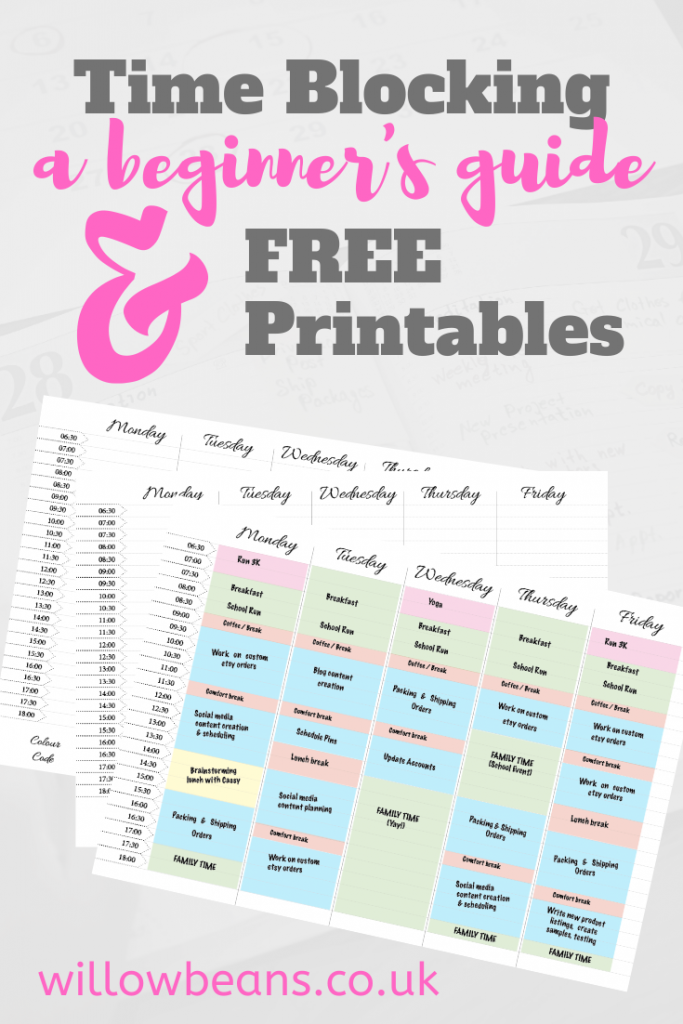
Time blocking is a way of planning your day by dividing it into “blocks” of time and assigning each block to a specific task or type of work.
Instead of keeping a long to-do list and reacting to whatever comes up, you design your day in advance. Your calendar becomes a visual map of your priorities.
Think of it as creating an appointment with yourself — for deep work, admin tasks, or even rest — and honouring it just as you would a meeting with someone else.
Why Time Blocking Works
Time blocking is effective because it:
- Reduces decision fatigue – no more “what should I do next?”
- Keeps you focused – by eliminating multitasking and constant context switching.
- Makes priorities visible – if it’s on the calendar, it gets done.
- Builds in balance – you can plan time not just for work, but for breaks, hobbies, and rest.
? Research backs this up: studies show that batching similar tasks together can increase productivity by up to 40%.
A Simple Example
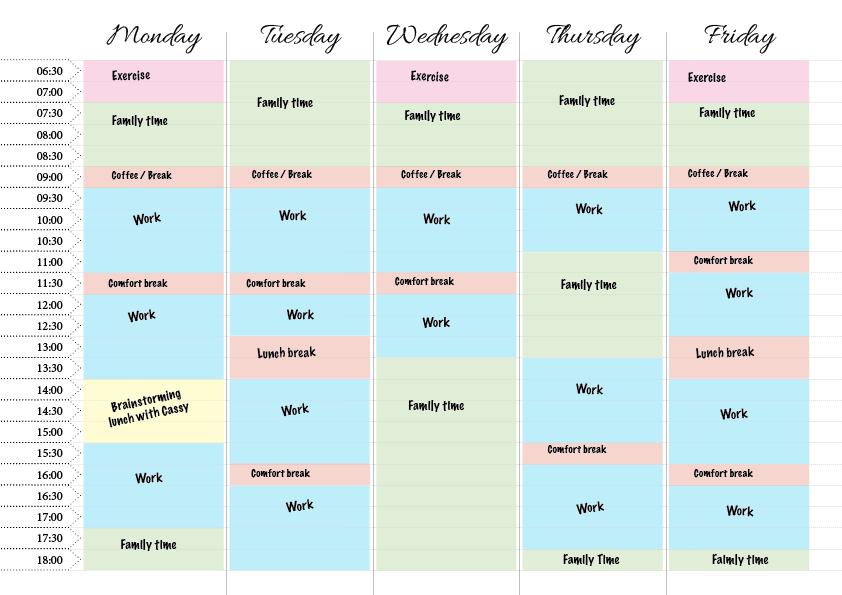
Here’s how a blocked-out morning might look:
- 9:00 – 10:30 → Deep work (writing, problem-solving, creative projects)
- 10:30 – 11:00 → Emails and admin
- 11:00 – 12:30 → Client calls and collaboration
- 12:30 – 1:30 → Lunch and reset
By structuring your time this way, you protect your best hours for your most important work, instead of letting small tasks expand and dominate the day.
Common Pitfalls (and How to Avoid Them)
Even the best systems can trip us up. Here are common mistakes people make with time blocking:
- Underestimating how long tasks take → Always add buffer time between blocks.
- Trying to block every single minute → Leave open space for unexpected needs.
- Not adjusting when things change → Time blocking works best when it’s flexible. Treat it as a guide, not a prison.
- Overcommitting → If you wouldn’t put it on your calendar, don’t let it live on your to-do list.
Time Blocking for Different Work Styles
- Structured roles: If you have a steady flow of tasks (e.g. content creation, design, admin), blocking works almost seamlessly.
- Reactive roles: If your day is unpredictable (e.g. customer support, management), try larger “theme” blocks instead of specific tasks. Example: “Afternoon = meetings/support”, leaving mornings for deep work.
- Personal life: Use blocks to plan workouts, reading time, or family time — not just work.
How to Get Started
- Choose one day this week to experiment.
- Pick your top 3 priorities and block time for them first.
- Add admin, meetings, and buffer time.
- Stick to the plan as best you can, but don’t beat yourself up if it changes.
- Reflect at the end of the day — what worked, what didn’t, and what will you adjust?
? Try it as a 30-day experiment. At the end of each week, note what worked and adjust your approach accordingly. Over time, you’ll build a system that fits your life perfectly.
Tools and Templates
You can start with just a paper diary, but digital tools make it easy to rearrange blocks (for some that’s a blessing, for others a curse!)
Try:
- Google Calendar – quick, simple, free.
- Notion – for planning + note-taking.
- Trello – for planning + task management.
Want a shortcut? I’ve created a free Time Blocking Kit to help you get started. Get it here.
Time blocking isn’t about controlling every second of your life. It’s about making intentional choices with your time so you can focus on what truly matters.
Start small, give yourself grace, and see how much more you can get done when your day is designed with purpose.
? Have you tried time blocking before? Share your experience in the comments — I’d love to hear what worked for you!
Get My FREE Kit
The kit includes:
- a beginner’s guide (PDF)
- a colour-coded weekly schedule (choose your own colours) (PDF) (A4 & US Letter Sizes)
- a freestyle weekly schedule (PDF) (A4 & US Letter Sizes)
Each part of the set can be printed as many times as you like, and the best part is: they’re TOTALLY FREE.
Sign-up below and get the whole kit sent directly to your inbox.
Pin it for later

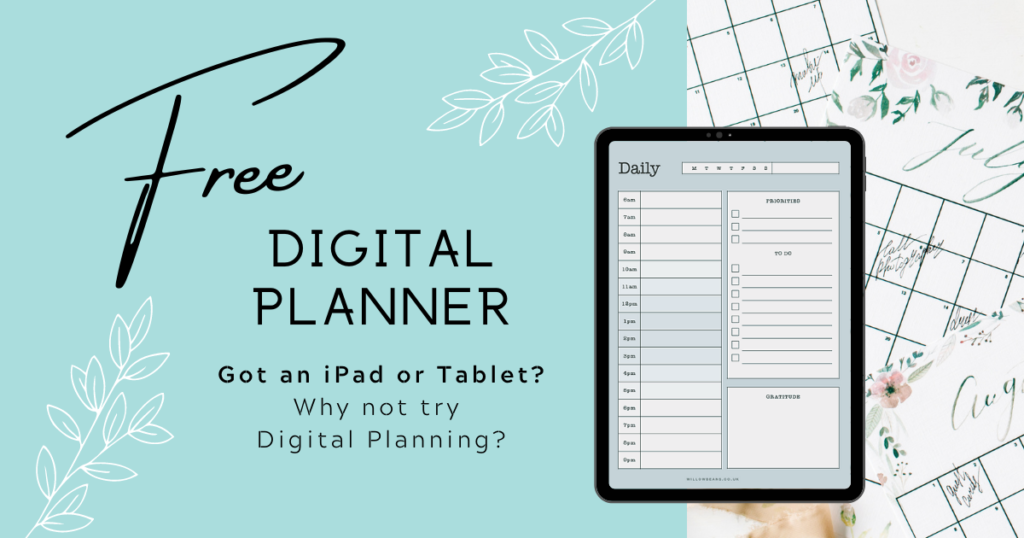
Check out my new Productivity Planner
Each spread includes a daily schedule, top priorities, to-do list and notes. Perfect for both work and personal planning.
160 Pages, 6 x 9 inch notebook
This post was proofread by Grammarly. The World's Best Grammar Checker.
