
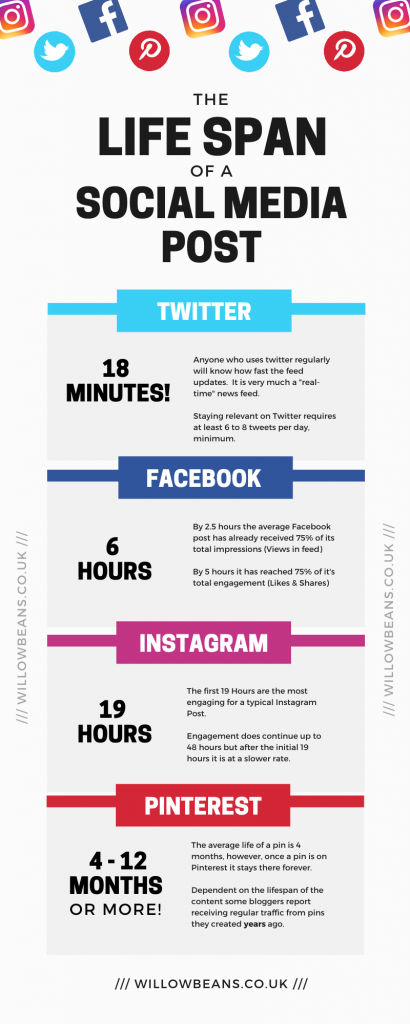
Pinterest Pins have the greatest life span of any social media type, generating traffic for months, sometimes years. Chances are you probably arrived here from Pinterest. In this article, I will explain how to boost your web traffic and consistently bring people to your content with Pinterest.
Disclosure: This article contains affiliate links. This means I may earn a commission should you chose to sign up for a program or make a purchase using my link. I was also compensated to create this post, though I recommend these companies & services based on my own personal opinions and experiences with them.
For more details read my privacy policy & disclosure.
Pinterest for Web Traffic
Pinterest and I didn’t get off to the best of starts on a business front. I’ve used Pinterest for years in a personal capacity to create boards for new project ideas, home decor inspiration, nail art inspiration, etc. That was always a positive experience. However, I’d never attempted to use it for business, and like you, I couldn’t understand how it could benefit a business or generate web traffic. Still, in blogging circles, everyone is talking about how anyone can boost site traffic with Pinterest, along with increasing sales and making an overall benefit to a business.
So, I heeded the advice. In Nov 2019, I created a Pinterest Business account. I was starting from scratch; I had no boards, no pins and no followers.
I set up boards relevant to my business and added my pins.
Nothing happened!
I was soon seeking further advice. Having zero followers, I couldn’t understand how I was supposed to get my pins in front of potential customers without paying to promote them. I’d been advised that followers in Pinterest weren’t essential, so how on earth was this supposed to work!
Tailwind
I’d recently started a free trial for the app Tailwind to schedule my Instagram posts. I knew they had a way to schedule Pins but hadn’t invested any time into figuring it out. So, it was time to do some research.
It turns out that alongside being able to schedule your pins, Tailwind also has two other great pinning features:
Get your FREE trial of Tailwind here, including Tailwind Communities and Smart Loop.
Tailwind Communities
Tailwind Communities are groups of business users who share their pins for other community members to re-pin to their boards. Most communities work on a 1:1 rule. Meaning that to share a post, you must re-pin at least one post from a fellow community member. Some follow a 2:1 rule; you must re-pin at least two other members posts to add one pin of your own.
Be warned: Community admins regularly kick out members not playing by the rules or spamming the group with their content.

Everyone has there opinions on whether you should re-pin content in the same niche as yours. I tend to re-pin content in the same or similar niche but isn’t directly competing with my own. This works fine for me. I also get a lot of new ideas and inspiration from seeing what others are putting out there.
Tailwind Communities allow you to reach the followers of other users; their followers re-pin your pin, this leads to the pin replicating and gaining traction around the Pinterest platform. Don’t forget: a pin is forever! As long as at least one person (usually you) keeps it pinned to at least one board.
SmartLoops
The second feature, SmartLoops, is a great way to seed your long-life content on to Pinterest regularly. You create a loop based around a particular niche or product type; you add a selection of default boards to which the loop will pin. When you add pins to your loop, they are scheduled on to all the default boards you added. You can specify additional boards at the time of adding to the loop. The loop will schedule all the pins across all the default boards (and any others). When it has run out of pins and boards, it will start the process again, repeating this ‘loop’ through all the pins and boards.
To prevent you spamming boards with the same pins repeatedly (this is as bad for you as it is for Pinterest) the loop schedule sets a minimum time before the loop can repeat. It even has a warning if you set this too low.
Get your FREE trial of Tailwind here.
How does all this boost traffic to my blog?
Your pins should always include a link to your content/product. Tailwind allows you to enter this, along with a Pin Title and Pin Description, it is important that you use all these fields and include keywords from your SEO strategy. Whenever your content is re-pinned to another users board it includes your link. Anyone that clicks on your pin is taken directly to your content/product (via the link you provided).
Let’s See Some Results
I started my Pinterest Business Account with no followers, just over 2 months later I am averaging over 21,000 unique views per month.

Not only have I seen significant improvements to my web traffic which continues to increase every day but I am also saving so much time with Tailwind. I sit down once a week to schedule content from my communities, add fresh pins to my loops and schedule my Instagram posts. This saves me from having to log on to Pinterest each day to pin and re-pin.
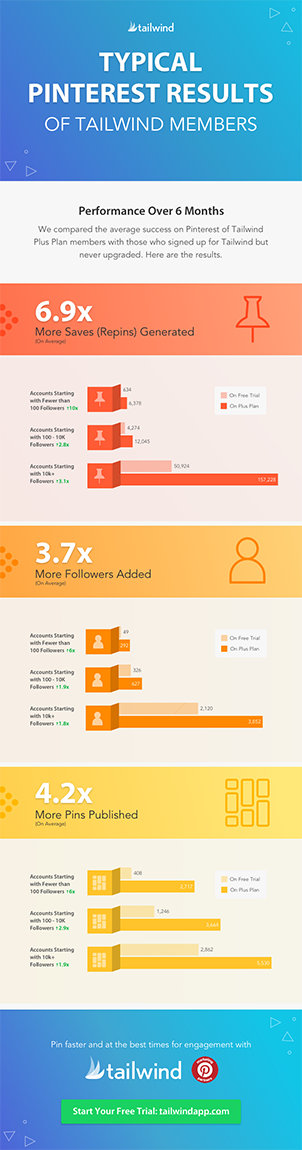
It is important to note that these are examples of my personal results, but Tailwind also publishes the Typical Results of Tailwind Members every year, so you can see exactly what the average growth rate looks like for their members.
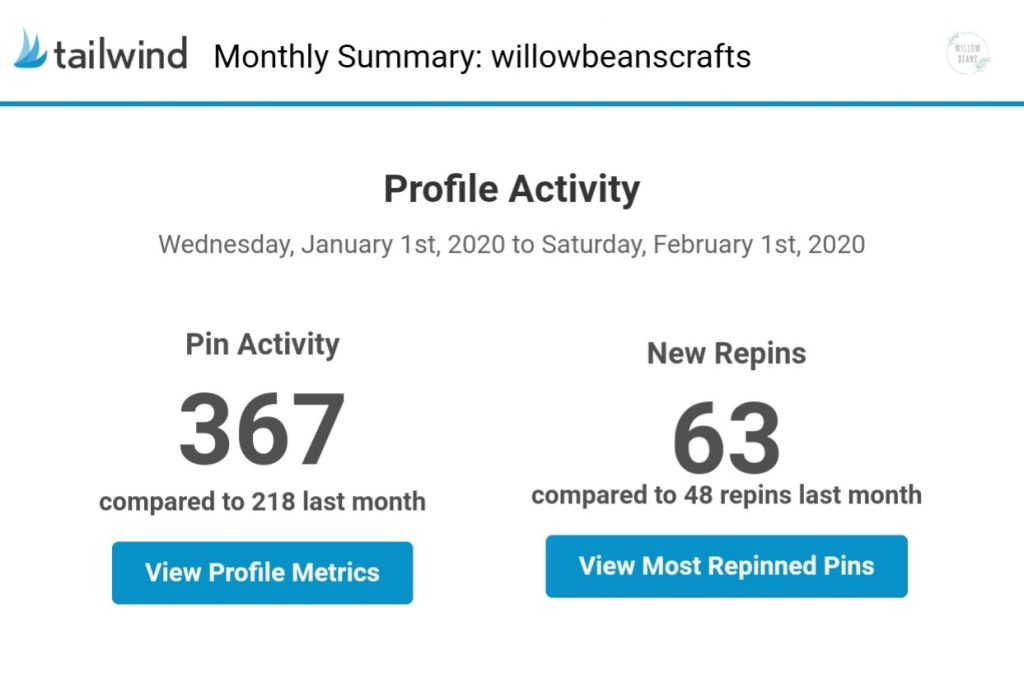
If like me, you’re a data and analytics fan, Tailwind is for you because it provides great insights. You can also opt-in to get daily, weekly or monthly summary emails that show you activity over that period.
Another excellent feature of Tailwind, is “Smart.Bio”. If you’re an Instagram user, struggling to get traffic to flow from Instagram to your site, I highly recommend taking a look at it.
It’s important to note that the Pinterest and Instagram functions in Tailwind are covered by two separate subscriptions, however the excellent free trials offered for both (based on post/pin count, rather than Time-based) give you a good feel for what features you will use most.
Start your FREE trial of Tailwind here. Your Trial will give you 100 pins and is not time-limited!
Pin Quality
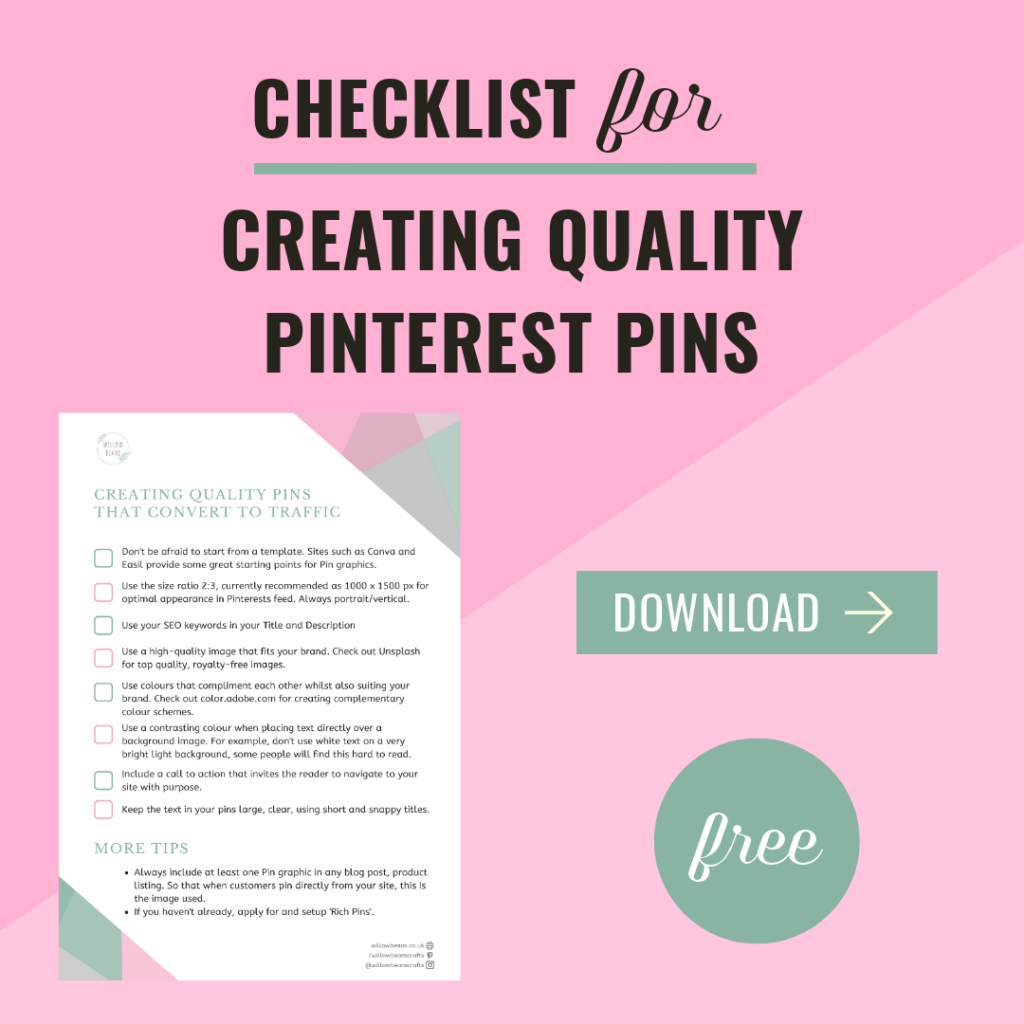
Tailwind is fantastic at what it does, however, your pins still need to be high-quality. Pins should contain clear, readable text that shows the viewer what you are offering: Product, How To Guide, Problem Solving Blog Post.
Community members are more likely to re-pin your content if your pins use high-quality imagery, readable text and a complementary colour palette.
There are several web tools available that can help you create beautiful, appealing, high-converting pins. I use Easil, it is easy to use, has fantastic templates to use as starting points for your designs and it has a free plan that covers my needs. Click here to try Easil.
How to get started scheduling pins…
How To Get Started with Scheduling Pins
…in less than 1 hour
-
Open a Free Pinterest Business Account
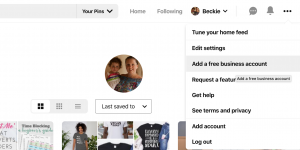
Visit pinterest.com. Set up a Business Account, this is recommended over using a personal account due to the additional insights and you will get from a business account.
-
Claim Your Website (and other accounts)
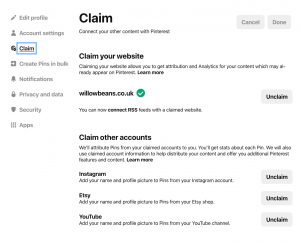
With a Pinterest Business account, you will be able to claim your website, Etsy shop, Instagram and YouTube Channel. This will allow you to track pins made by your visitors and customers from your site, feed, shop or channel. For more details check out How To Claim Your Site On Pinterest And Improve Your Engagement.
-
Open a Tailwind Account
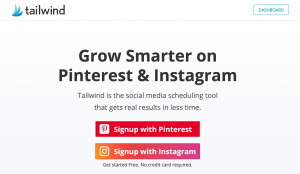
Visit tailwindapp.com to start your free trial (No Credit Card needed) Link your Pinterest Business Account (and Instagram if you want to trial that also).
-
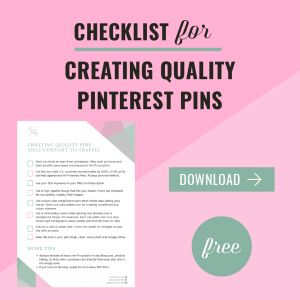
Download my guide to Creating the Perfect Pins and start scheduling.
UPDATE [03.03.2020]
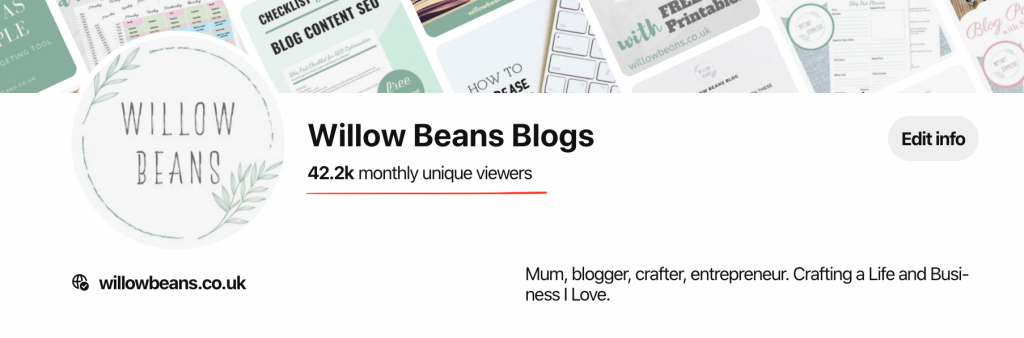
As of March 3rd, 2020, my Pins are now achieving over 42,000 unique views per month. My views have DOUBLED in just over a month!
For more details on the resources mentioned in this post and more of my recommendations, visit my resource library.
Pin for Later
This post was originally published 1st Feb 2020, last updated 3rd March 2020.
This post was proofread by Grammarly. The World's Best Grammar Checker.

One Response
I’ve been doing a lot of reading about Pinterest just recently and this is all very helpful. Thanks